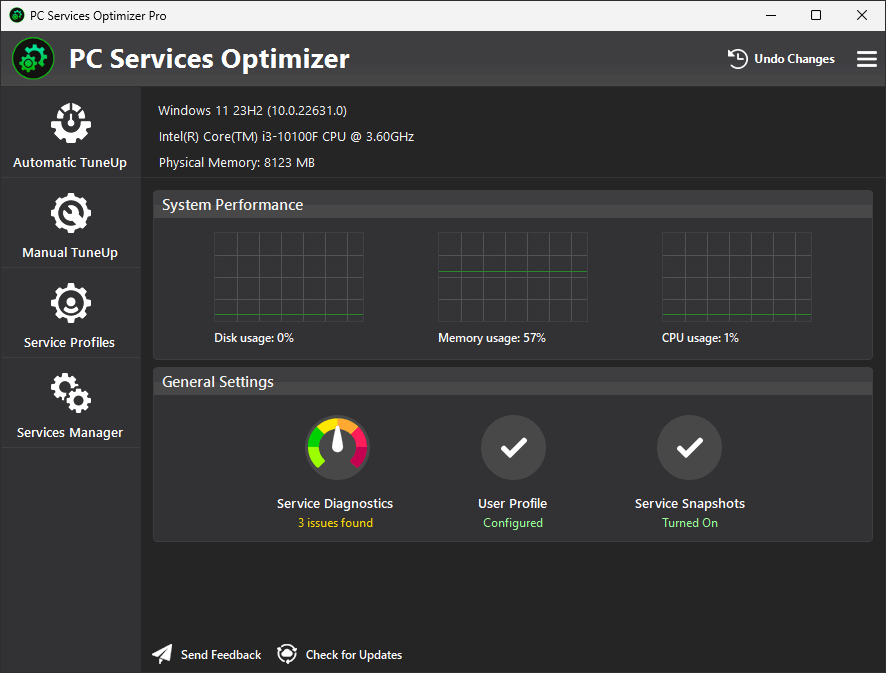
PC Services Optimizer 5
Microsoft Windows 11/10/8.1

The Windows operating system comes with many background services running by default, most of which are unnecessary for everyday use. Having many Windows services running can slow down your computer and consume valuable system resources. PC Services Optimizer can address this problem by providing user-friendly options to optimize Windows service configurations, resulting in a smoother and more secure computing experience.
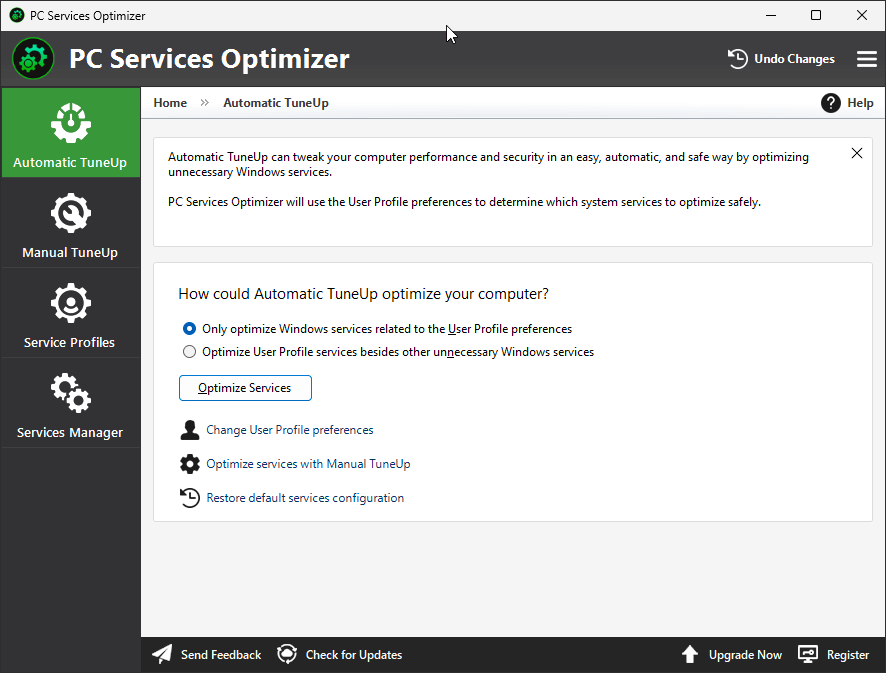
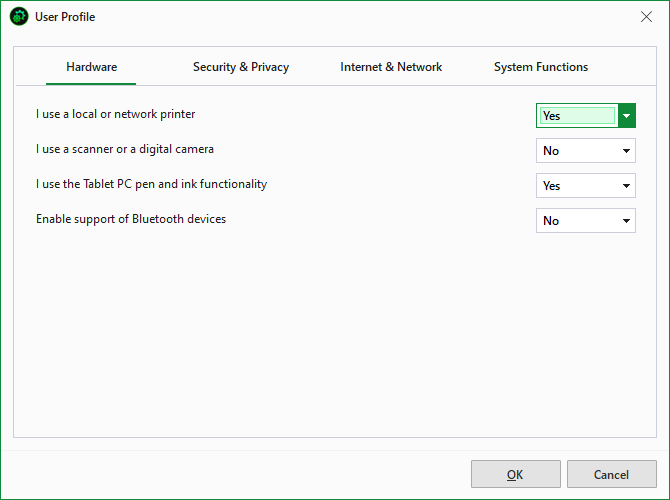
PC Services Optimizer includes the Automatic Tune-Up feature that allows you to optimize unnecessary Windows services to help boost system performance and enhance reliability. By answering a few simple questions—such as "Do I use a printer?", "Should I allow Windows to check for updates?", or "Do I share and access resources on the network?"—PC Services Optimizer will determine which Windows services to disable safely without impacting the system's normal operation.
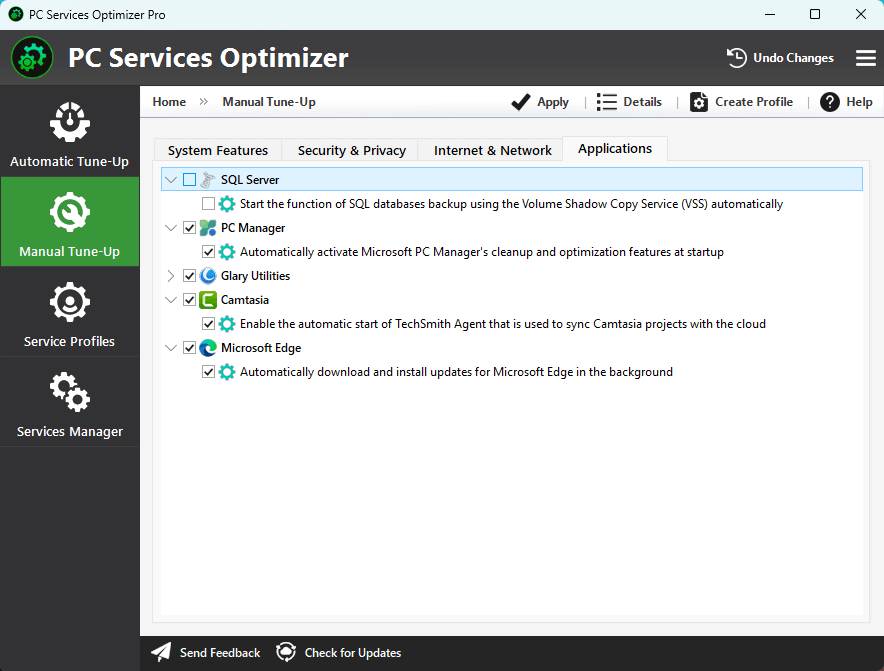
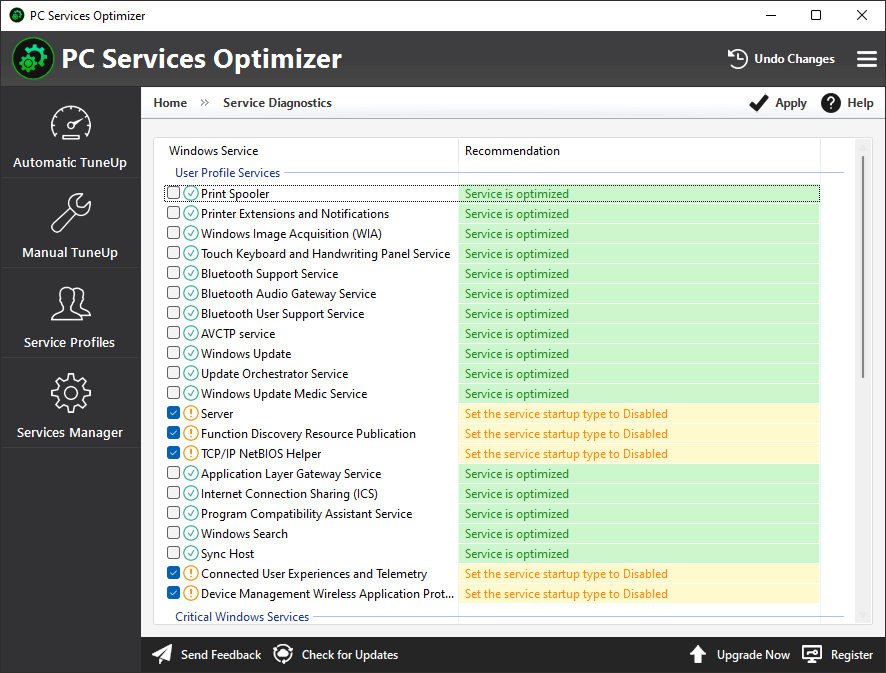
In addition to the automatic service-optimization options that benefit novices, PC Services Optimizer also offers the Manual Tune-Up feature that is ideal for experienced users to allow them to customize the service optimization process and optimize more Windows services, including Windows services installed by third-party apps; this would help you achieve the best performance and reliability.
PC Services Optimizer is a reliable and safe solution for improving Windows performance by optimizing unnecessary Windows services. It only optimizes Windows services that can be safely disabled without compromising the system’s reliability. Additionally, PC Services Optimizer includes a feature called Rescue Center, which allows you to revert any changes made to the Windows services configuration by either PC Services Optimizer or other software, in case any issues arise.
To understand the value of PC Services Optimizer, it’s essential to first grasp what Windows services are and why the default configuration of Windows is often not optimal for performance.
Windows services are long-running background processes that operate in their own Windows sessions, running without a user interface and typically starting automatically when your computer boots. They handle important background tasks such as printer management, network discovery, Bluetooth connectivity, and telemetry data. However, Windows enables a vast array of these services by default "just in case" you might need them, even though many are unnecessary for the average user. For instance, you likely do not need the Xbox Live Networking Service if you never use an Xbox controller or the Print Spooler if you don’t own a printer.
Each unnecessary service consumes a small amount of CPU cycles, RAM, and sometimes network bandwidth. When dozens of them run simultaneously, the cumulative effect can result in noticeable system performance issues, increased latency, and slower boot times. This creates a clear dilemma: on one hand, disabling unnecessary services can free up valuable system resources; on the other hand, manually optimizing Windows services is complex and risky.
Windows lists over 100 services with cryptic names like AVCTP Service or Hyper-V Heartbeat Service. Without expert guidance, the average user cannot easily determine which services are safe to disable. Disabling the wrong service can disrupt critical functionality or even crash the operating system. Additionally, researching each service via the services.msc panel is tedious and prone to error.
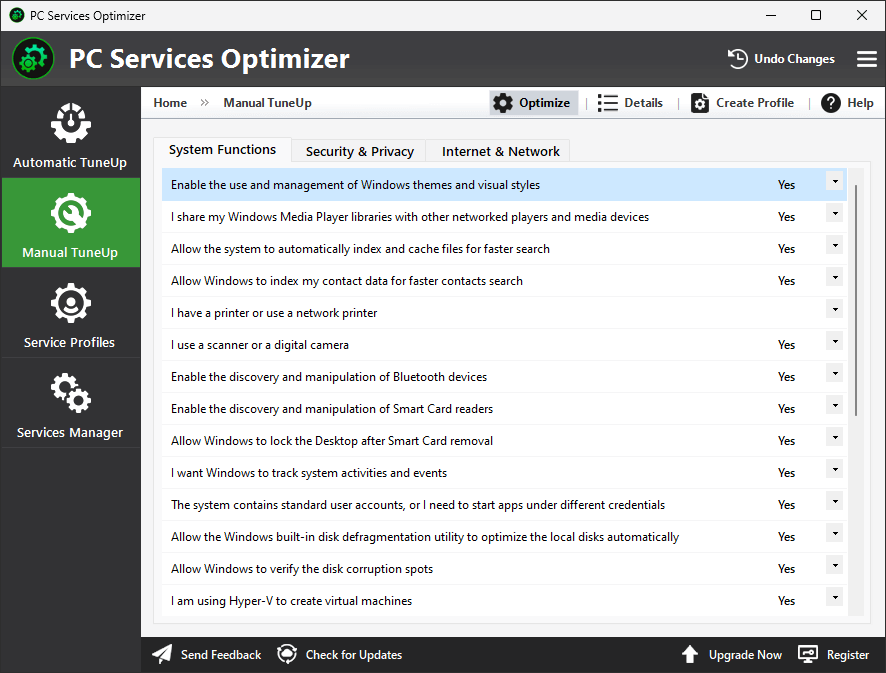
PC Services Optimizer simplifies the Windows services optimization process by eliminating the risk and complexity associated with manual optimization. Instead of presenting confusing service names and technical descriptions, the software uses straightforward questions about your computer usage. For example, “Do you use a local or network printer? Yes/No,” “Should Windows check for and download updates? Yes/No,” and “Do you access and share devices and resources on the network? Yes/No.”
By answering just a few of these easy-to-understand questions, you inform PC Services Optimizer about your specific needs, allowing the software to automatically identify and disable unnecessary Windows services. This approach removes the technical burden from the user—you never need to see a raw service name or risk disabling an essential component, as the software makes safe decisions based on your responses.
The advantages of using PC Services Optimizer to optimize Windows services are significant. By turning off unnecessary services, your system will benefit from reduced background CPU and RAM usage, faster boot times, lower latency for real-time applications like video processing and gaming, and improved system responsiveness.
To cater to different user preferences, PC Services Optimizer offers two optimization modes:
Automatic Tune-Up:
Presents a limited set of simple questions, making it ideal for casual users seeking a quick and safe performance boost without technical complications.
Manual Tune-Up:
Provides more advanced options for power users who desire to optimize additional Windows services related to system features, security, and networking. Additionally, Manual Tune-Up lets you optimize services installed by third-party applications.
While optimizing Windows services is the core strength of PC Services Optimizer, the software offers a complete toolkit for managing and maintaining your service configuration.
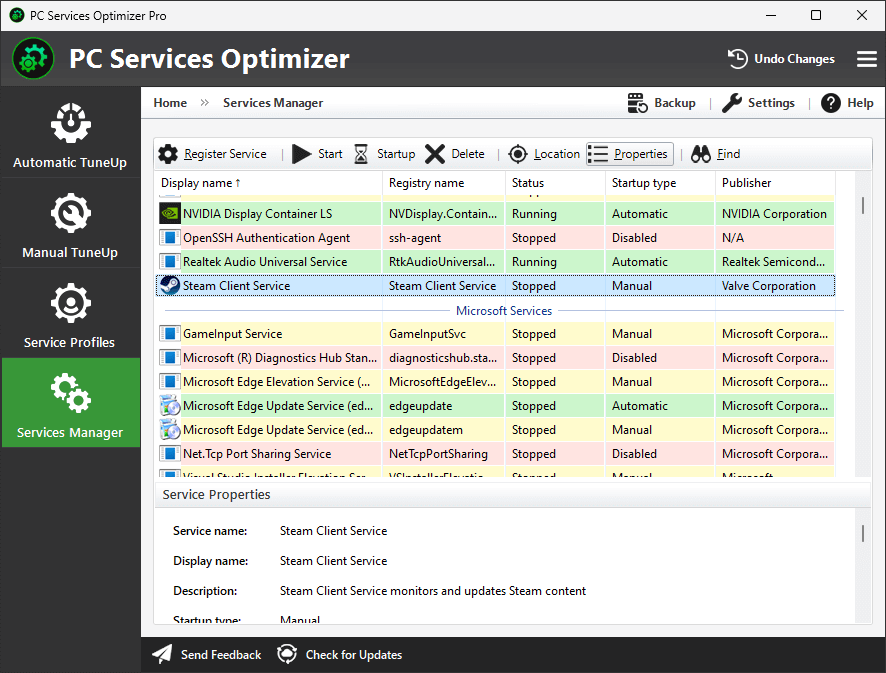
Services Manager
The Services Manager feature works similarly to the built-in Windows services.msc console but offers far more powerful options such as:
Service Profiles
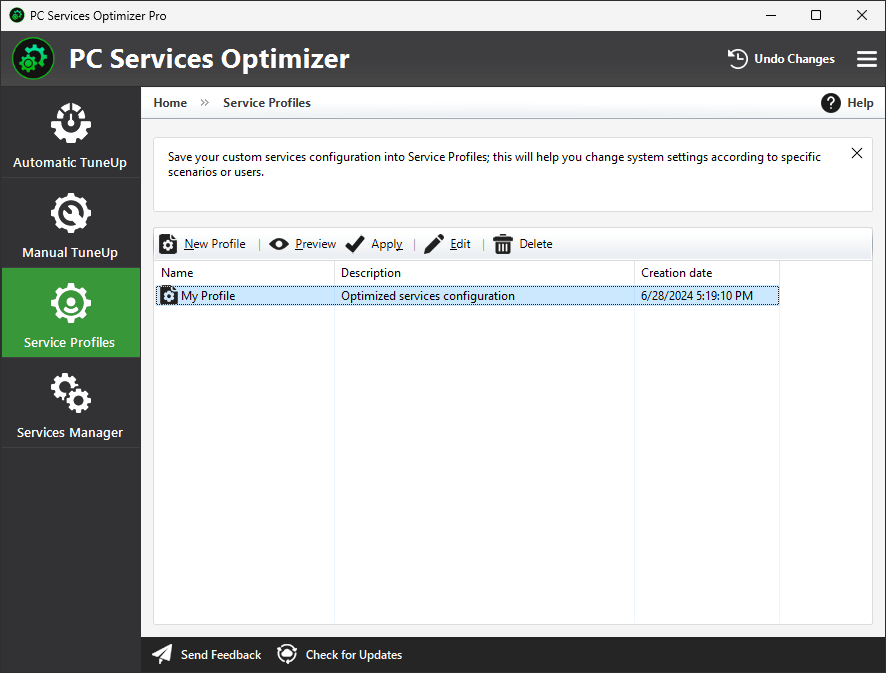
Service Profiles allow you to save and apply your custom Windows service configurations, which enables you to adapt your system setup according to specific situations or different users.
For instance, you could create a "Gaming Profile" that disables non-essential background services to maximize performance, a "Work Profile" that enables networking and printing services, and a "Maximum Battery" profile for laptops that aggressively disables power-hungry services. Each profile can be saved, named, and instantly applied with a single click, allowing you to switch between completely different service configurations without needing to reconfigure anything manually.
PC Services Optimizer
FREE
PC Services Optimizer
PROFESSIONAL
All Services Optimizer
Achieve optimal performance and reliability by optimizing all Windows services with Manual Tune-Up.
Service Profiles
Save your tune-up settings in profiles to customize PC configurations for specific scenarios.
Automatic Updates
Automatically receive new updates that bring additional optimizations, improvements, and bug fixes.
7x24 Premium Support
A knowledgeable team is available to assist you through email response within 24 hours.
PC Services Optimizer, previously known as Vista Services Optimizer, is a software solution designed to help you manage and optimize Windows service configurations easily and safely. With PC Services Optimizer, you can enhance your system's performance and reliability by disabling unnecessary Windows services based on your computer usage and the specific software and hardware you have installed.
Optimizing Windows services would greatly reduce overhead and make more system resources available to run apps with optimal performance and reliability.
Modifying Windows service configurations is an advanced process that requires in-depth knowledge, as altering the wrong services can lead to critical issues. PC Services Optimizer is considered a safe solution for disabling unnecessary Windows services for several reasons:
PC Services Optimizer is compatible with major antivirus and security software, including the built-in Windows Security app. However, in some cases, your antivirus may interfere with PC Services Optimizer's ability to configure and optimize Windows services. To ensure smooth operation, it is highly recommended that you add PC Services Optimizer to the exclusions list of your antivirus software.
The free version of PC Services Optimizer includes all of the app's features except for the Manual Tune-Up and Service Profiles features. By upgrading to the Pro edition, you can unlock all the Windows service optimization features offered by the Manual Tune-Up, which includes the ability to optimize Windows services for third-party applications.
In addition to the Manual Tune-Up, PC Services Optimizer Pro features Service Profiles, allowing you to easily adjust system configurations to suit different user experiences and scenarios.

|
PC Services Optimizer can tweak Windows services with a single click. It stops/disables unwanted services that slow down your computer. In addition to automatic services tuneup, PC Services Optimizer also provides experienced users with the necessary tools to customize the optimization process of Windows services. |

|
PC Services Optimizer is a software solution that is aimed at both beginners and experienced users, offering them an impressive lineup of tools designed to improve the overall Windows performance. All in all, PC Services Optimizer is a must-try, especially considering the fact that it could boost computer performance significantly. |

|
PC Services Optimizer includes several wizard-like configuration tools that help you decide which services you need and which you don't. The latter will be disabled, saving memory and processor power and thus enabling Windows to launch faster and run more smoothly. |
Products
Support
Company
Email Newsletter
Follow Us